Vimeo AI
Vimeo AI revolutionizes the video creation and editing landscape, leveraging the power of artificial intelligence to make the process more accessible and efficient for everyone. This innovative platform simplifies various …
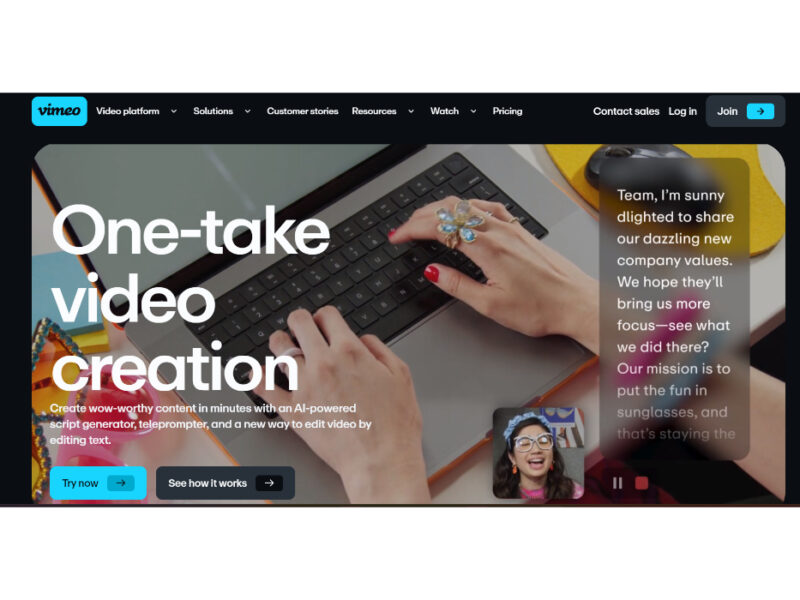
About Vimeo AI
Use Cases
Use Case 1: Rapid Executive Internal Updates
Problem: Busy executives and department heads often need to share video updates with their teams, but they lack the time to write scripts or the patience for multiple takes. Traditional video editing to remove stumbles and filler words is too time-consuming for a daily or weekly workflow.
Solution: Using the AI script generator, an executive can turn a few bullet points into a professional script in seconds. They can then record the video using the built-in teleprompter to ensure a smooth delivery. Finally, the text-based editor allows them to instantly "clean" the video by deleting filler words like "um" and "ah" from the transcript, producing a polished video in one take.
Example: A CEO needs to announce a mid-quarter pivot. They type "announcing a shift to mobile-first strategy" into the script generator, read the output from the teleprompter on their laptop, and use the "delete transcript" feature to remove a five-second awkward pause before sharing the video to the company's private Vimeo folder.
Use Case 2: High-Volume Social Media Marketing
Problem: Social media managers and content creators need to produce a high volume of "talking head" videos for platforms like LinkedIn, TikTok, or Instagram. Manually scouring through raw footage to find the best clips and cut out mistakes is the biggest bottleneck in their production cycle.
Solution: Vimeo AI’s text-based editing allows marketers to edit video as easily as a Word document. Instead of scrubbing through a timeline, they can simply highlight the best sentences in the transcript to create new clips or delete unwanted sections. This significantly reduces post-production time.
Example: A marketer records a five-minute interview with a product expert. Instead of manual cutting, they scan the auto-generated transcript, highlight three "gold nugget" quotes to create three separate short-form clips, and hit "delete" on all the filler words to make the expert sound more authoritative.
Use Case 3: On-Site Professional Field Reporting
Problem: Field producers, real estate agents, or freelance creators often need to record professional-grade content while on location without access to a full production crew or a desktop editing suite.
Solution: The Vimeo mobile app combines a teleprompter and AI-powered editing into a single mobile interface. This allows users to maintain eye contact with the camera while reading their script and perform "one-take" edits directly from their phone immediately after recording.
Example: A freelance producer for a travel brand records a segment on-location. They use the mobile teleprompter to stay on-brand, use the AI tool to remove background pauses while sitting in a coffee shop, and upload the final 4K HDR video to the client's workspace before even leaving the site.
Use Case 4: Product Demos and Educational Tutorials
Problem: Developers and educators often record long-form tutorials where they might stumble over technical jargon or lose their place. Editing these long videos to keep the viewer engaged is tedious, and organizing the content for SEO is often an afterthought.
Solution: The AI tool helps refine the presentation by removing technical stumbles via text-editing. Furthermore, Vimeo's automated features (like chapter generation and SEO optimization) help organize the long-form content into digestible, searchable sections without manual effort.
Example: A developer records a 15-minute walkthrough of a new API. After recording, they use the text-based editor to cut out a section where they had a coughing fit. They then use the automated chaptering tool to break the video into "Authentication," "Endpoint Setup," and "Troubleshooting," making it easier for users to navigate.
Key Features
- AI-powered script generation
- Integrated online teleprompter
- Text-based video editing
- Automated filler word removal
- Mobile AI video editor
- Automated video chapter creation
Similar Tools You Might Like
Discover more tools in the same category

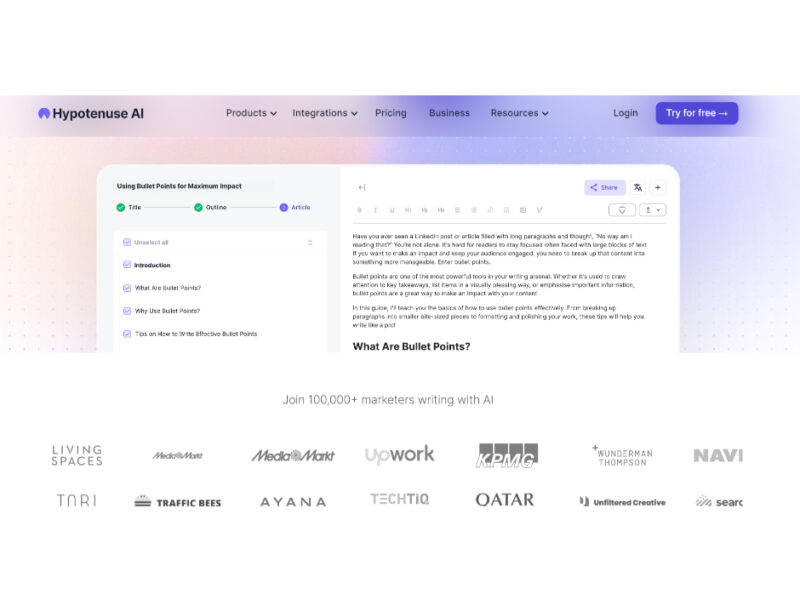
Hypotenuse ai
Hypotenuse AI is a state-of-the-art AI Writing Assistant and Text Generator designed to streamline and …

Explore Related Categories
Live Preview:
Updates automatically with live stats
Copied to clipboard!