Speechify
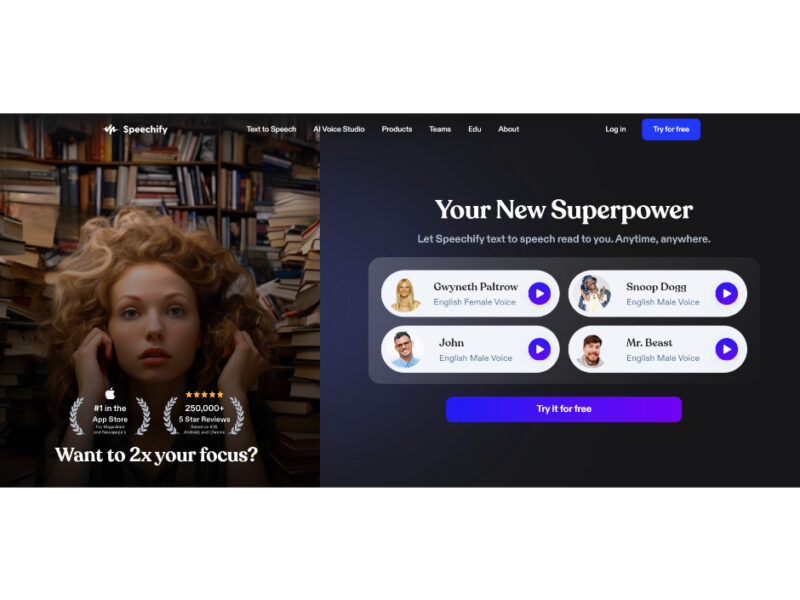
Get ready to enhance your TTS experience with our incredible Chrome, iOS, Android, and Mac app! Enjoy the power of celebrity voices, making your listening sessions more exciting and enticing. …
About Speechify
Use Cases
Use Case 1: Accelerating Professional Document Review for Lawyers and Researchers
Problem: Professionals like lawyers, researchers, and medical residents often face "information overload," spending hours reading dense PDFs, case files, or medical journals, which leads to eye strain and reduced billable hours.
Solution: Speechify allows these professionals to convert long documents into high-quality audio. By using the "auto-skip" feature to bypass headers and footers and increasing the speed to 2x or 3x, they can "read" through material while performing other tasks like commuting or exercising.
Example: A lawyer uploads a 50-page deposition PDF to the Speechify Mac app. They listen to the document at 2.5x speed while driving to the office, using the AI Summaries feature to highlight the most critical testimony points before they even arrive.
Use Case 2: "Vibe Coding" and Voice-Driven Documentation for Developers
Problem: Developers often experience physical fatigue from typing or find their "flow" interrupted by the slow process of manually writing out complex documentation, Slack updates, or boilerplate comments.
Solution: Using Speechify’s Voice Typing Dictation, which is 5x faster than manual typing, developers can "vibe code" by dictating logic and comments directly into their IDE (like Cursor) or communication tools.
Example: A developer uses the Speechify Chrome extension to dictate a complex technical explanation in a GitHub Pull Request. Instead of spending 15 minutes typing and correcting typos, they speak naturally, and the AI polishes the text into a professional, error-free summary in seconds.
Use Case 3: Rapid Content Drafting and Proofing for Marketers
Problem: Content creators and marketers often struggle with "blank page syndrome" or fail to catch awkward phrasing in their own writing because they have become "blind" to their own text.
Solution: Marketers can use Voice Typing to dictate initial drafts of blog posts or emails while walking or moving. Later, they can use the Text to Speech feature to listen back to their draft. Hearing the words read aloud by a natural-sounding AI voice helps identify grammatical errors and tonal inconsistencies that are easily missed during visual editing.
Example: A marketing manager dictates a campaign strategy while walking between meetings. Once the text is captured, they play it back using the "Gwyneth" voice at 1.5x speed to hear how the messaging resonates, ensuring the copy sounds persuasive and human.
Use Case 4: High-Speed Upskilling and Retention for Students
Problem: Students, especially those with ADHD or dyslexia, often struggle to stay focused on long textbook chapters, leading to poor retention and the need to re-read the same pages multiple times.
Solution: Speechify combines auditory and visual learning through synchronized text highlighting. Students can follow along visually while the AI reads to them. After finishing a section, they can use the AI Quiz feature to instantly generate personalized questions to reinforce what they just learned.
Example: A medical student scans a chapter of a surgical textbook using the "Scan & Listen" mobile feature. They listen to the material while the app highlights the text, then trigger the AI Quiz to test their knowledge of the surgical techniques before their next exam.
Key Features
- Celebrity and natural AI voices
- Adjustable reading speeds up to 4.5x
- Synchronized text highlighting and tracking
- AI-powered voice typing and dictation
- Instant photo-to-speech text scanning
- Automatic PDF distraction skipping
- AI-generated document summaries and quizzes
- Multi-format content-to-podcast conversion
Similar Tools You Might Like
Discover more tools in the same category

Hypotenuse ai
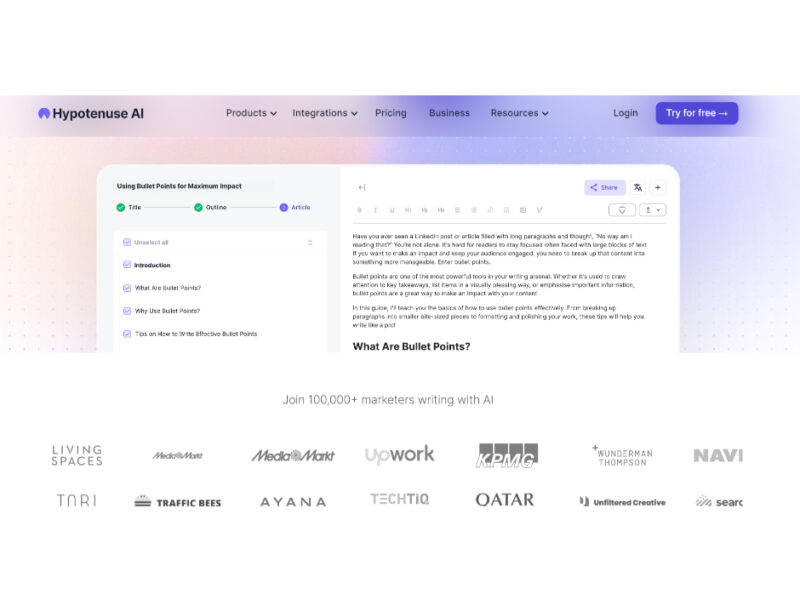
Hypotenuse AI is a state-of-the-art AI Writing Assistant and Text Generator designed to streamline and …
Explore Related Categories
Live Preview:
Updates automatically with live stats
Copied to clipboard!