Shownotes
Enhance your Youtube podcast experience with our captivating and keyword-rich Shownotes. Discover an abundance of engaging content, packed with relevant keywords that will boost your video’s visibility and attract a …
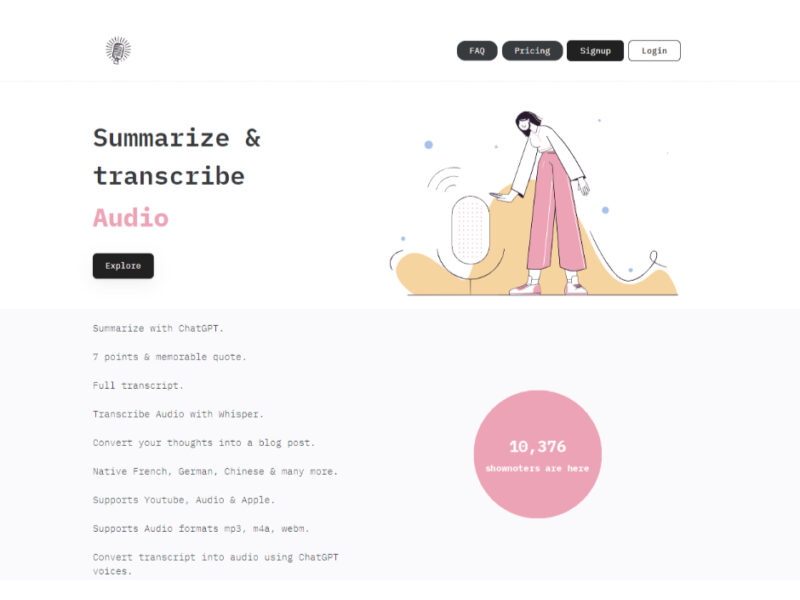
About Shownotes
Use Cases
Use Case 1: Automated Podcast Description and Timestamping
Problem: Podcasters often spend hours manually listening back to their recordings to write detailed episode descriptions and identify specific timestamps for different topics discussed.
Solution: Shownotes automates the transcription and summarization process, identifying key transitions in the conversation to generate accurate timestamps and a concise summary.
Example: A tech podcaster uploads a 60-minute interview. Shownotes generates a summary paragraph and a list of timestamps (e.g., "05:12 - Discussing the future of AI") that the podcaster can immediately paste into Spotify or Apple Podcasts.
Use Case 2: Social Media Content Repurposing for Marketers
Problem: Social media managers need to extract "gold nuggets" or key quotes from long-form video content (like webinars or YouTube interviews) to create engaging posts on LinkedIn or X (Twitter).
Solution: The tool identifies the most impactful points and takeaways from the audio/video, providing the marketer with ready-to-use bullet points.
Example: A marketing agency inputs a recorded webinar about SEO trends. Shownotes provides a list of the 5 most important tips mentioned, which the manager then uses to create a LinkedIn carousel and a series of educational tweets.
Use Case 3: Rapid Research and Study for Students
Problem: Students and researchers often have to consume hours of video lectures or panel discussions to find specific information, which is a major time sink during exam seasons or project deadlines.
Solution: By using Shownotes as a summarizer, users can get a high-level overview of a lecture’s content before deciding which specific sections merit a full watch.
Example: A medical student processes a 2-hour guest lecture on neurology. Shownotes provides a structured summary of the core concepts, allowing the student to jump directly to the 10-minute segment discussing "synaptic plasticity."
Use Case 4: Internal Meeting Recaps for Remote Teams
Problem: Team members who miss a recorded Zoom or Google Meet session often struggle to catch up, as watching a full hour-long recording is inefficient for their workflow.
Solution: Shownotes acts as a post-meeting assistant, distilling the recorded conversation into a summary of decisions made and topics covered.
Example: A project manager uploads a recorded "Sprint Planning" session. Shownotes generates a summary of the project goals and a breakdown of which features were discussed, which is then shared in the team's Slack channel for quick reference.
Key Features
- YouTube-to-summary conversion
- AI-powered chapter timestamping
- Automated podcast transcript generation
- SEO-optimized metadata creation
- Key takeaway extraction
- Dynamic landing page generation
- Multi-language audio processing
Similar Tools You Might Like
Discover more tools in the same category
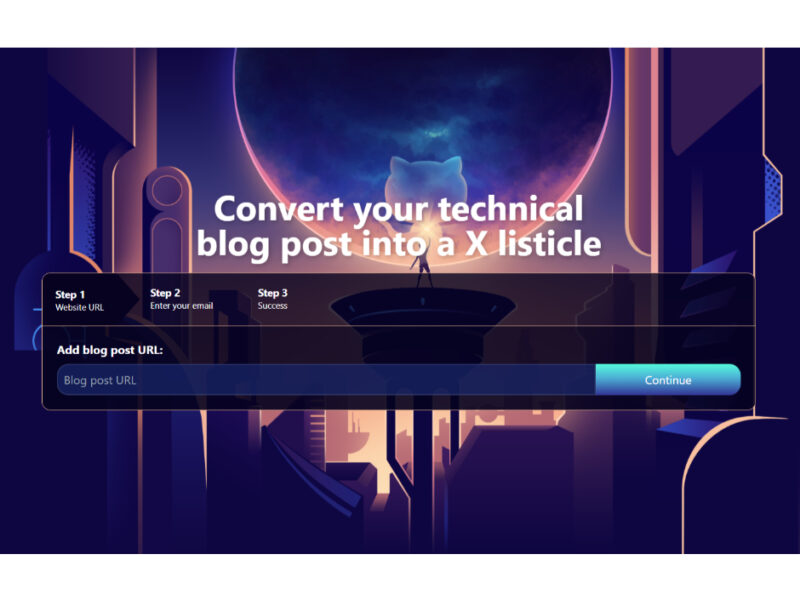
Listicle Club
Listicle Club is an innovative tool designed for bloggers and content creators, facilitating the transformation …
Explore Related Categories
Live Preview:
Updates automatically with live stats
Copied to clipboard!