Humata AI
Humata AI stands as a pioneer in document management technology, providing robust solutions to transform diverse document formats into interactive assets. Its state-of-the-art OCR technology and multilingual support amplify its …
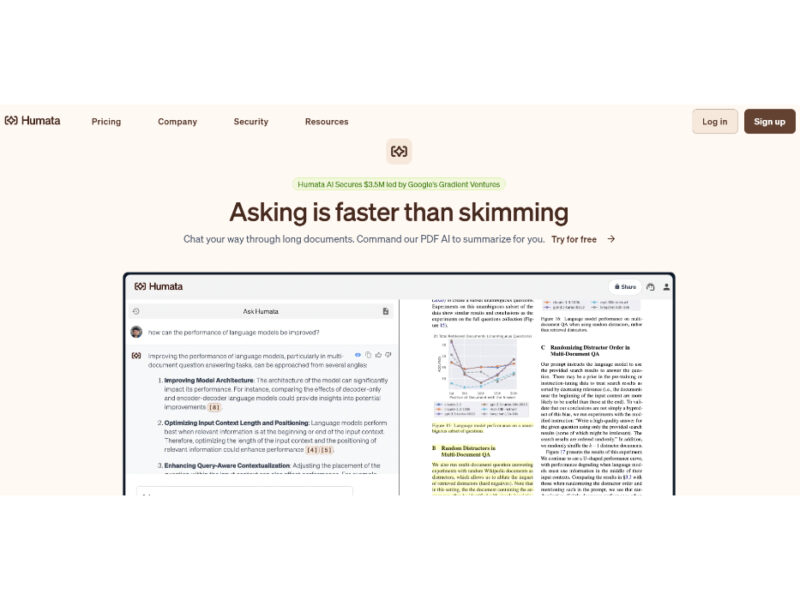
About Humata AI
Use Cases
Use Case 1: Enhancing Customer Self-Service Support
Problem: Customers often struggle to find specific answers hidden within lengthy product manuals, technical documentations, or extensive FAQ pages, leading to an influx of basic support tickets that overwhelm staff.
Solution: Humata allows businesses to embed the AI directly into any webpage. By connecting the tool to their existing knowledge base, companies can provide a "chat-with-your-docs" interface where customers get instant answers cited directly from the official manuals.
Example: A software company embeds Humata on their support portal. A customer asks, "How do I configure the firewall settings for the Enterprise version?" Instead of searching through a 200-page PDF, Humata provides a step-by-step summary and links the customer directly to the specific page in the manual for verification.
Use Case 2: Accelerated Technical and Academic Research
Problem: Researchers and students often face "information overload," spending hours reading through dozens of long technical papers or academic journals just to find specific data points or compare methodologies.
Solution: Humata’s "PDF AI" can summarize findings across unlimited files simultaneously. It allows users to skip the manual reading process by asking questions across a collection of papers, while the citation feature ensures all insights can be traced back to the original source to maintain academic integrity.
Example: A medical researcher uploads 15 different clinical trial PDFs. They ask, "What were the side effects reported for the control group across all these studies?" Humata generates a comparative summary and highlights the specific paragraphs in each PDF where the data originated.
Use Case 3: Secure Legal and Compliance Document Review
Problem: Legal teams and business administrators need to review sensitive contracts or internal policies to ensure compliance, but manual review is slow and carries a high risk of human error.
Solution: Using Humata’s enterprise-grade security features—such as 256-bit SHA encryption and role-based access—teams can upload sensitive documents into a private cloud. The OCR (Optical Character Recognition) feature allows them to search and analyze scanned PDFs or image-based contracts that aren't usually searchable.
Example: A legal team uploads 50 scanned non-disclosure agreements (NDAs). They use Humata to ask, "Which of these contracts have an expiration date in 2025?" The AI identifies the relevant documents and extracts the specific clauses, even from scanned images.
Use Case 4: Content Creation and Marketing Strategy
Problem: Content creators and marketers often need to distill complex industry whitepapers or competitor reports into bite-sized social media posts, blogs, or newsletters, which is time-consuming.
Solution: Humata acts as a "ChatGPT for your own files," allowing marketers to order the AI to rewrite summaries or extract key highlights until the tone and length are perfect for their specific marketing channel.
Example: A marketing manager uploads a 60-page "State of the Industry" report. They command Humata to "Extract 5 surprising statistics about consumer behavior and rewrite them as catchy headlines for a LinkedIn carousel." Humata provides the highlights with citations to ensure the data is accurate before posting.
Key Features
- Multi-document AI question answering
- Verified source-linked citations
- Embeddable knowledge base widget
- Cross-document summarization and comparison
- Role-based file access permissions
- OCR for scanned documents
- Private cloud data security
Similar Tools You Might Like
Discover more tools in the same category
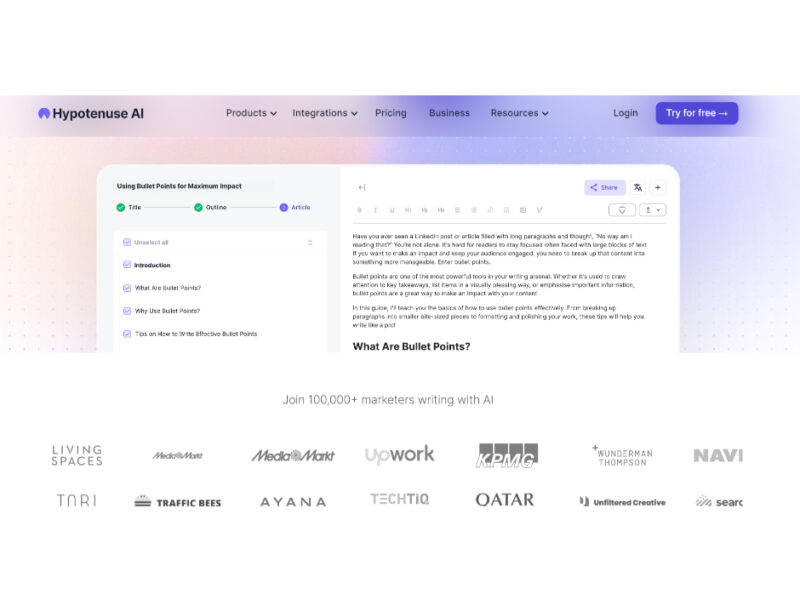
Hypotenuse ai
Hypotenuse AI is a state-of-the-art AI Writing Assistant and Text Generator designed to streamline and …
Live Preview:
Updates automatically with live stats
Copied to clipboard!