Heyday
Heyday is a sophisticated AI-powered memory assistant designed to streamline the process of managing and resurfacing web content. It’s an invaluable tool for researchers, creators, knowledge workers, and individuals who …

About Heyday
Use Cases
Use Case 1: Streamlining Multi-Platform Content Research
Problem: Content creators and marketers often find inspiration across fragmented platforms like Twitter, LinkedIn, and various newsletters. Manually bookmarking these or copying links into a central database like Notion is time-consuming, and valuable insights are frequently lost in the "noise" of daily browsing.
Solution: Heyday automatically captures and organizes content from social media and web pages without requiring manual input. Because it integrates with tools like Pocket and Notion, it creates a unified memory layer that bridges the gap between casual browsing and active content production.
Example: A marketer spends Monday researching "sustainability trends" on Twitter and LinkedIn. On Friday, while drafting a blog post in Google Docs, Heyday automatically resurfaces the specific tweets and articles they read earlier in the week, placing the references right alongside their workspace so they don't have to hunt through their history.
Use Case 2: Eliminating Information Silos in Project Management
Problem: Knowledge workers often struggle with "context switching" because project data is scattered across Slack threads, Google Drive folders, and Gmail. Finding a specific file or a decision made in a chat requires searching through multiple apps individually.
Solution: Heyday integrates with Slack, Gmail, Drive, and Dropbox to create a centralized search experience. It "connects the dots" by resurfacing relevant documents, messages, and files based on the user's current activity, effectively breaking down the silos between different productivity tools.
Example: A project manager is preparing for a status meeting. As they open a Google Calendar event, Heyday suggests the relevant Slack conversation where the project scope was discussed and the specific spreadsheet in Google Drive that needs to be updated, ensuring the manager has all the context ready in seconds.
Use Case 3: Accelerating Technical Learning and Debugging
Problem: Developers frequently visit dozens of Stack Overflow threads, GitHub issues, and documentation pages while solving a bug. Weeks later, when facing a similar issue, they often remember seeing a solution but cannot find the specific page again, leading to redundant research time.
Solution: Heyday acts as a "second brain" for developers by automatically indexing technical pages visited. When the developer searches for a technical term or error code on Google later, Heyday resurfaces the specific documentation and past threads they previously found helpful directly in the search results.
Example: A developer is troubleshooting a React hooks error they dealt with a month ago. They type the error into Google, and Heyday displays a sidebar showing the exact GitHub issue they commented on and the Notion note they wrote to themselves the last time they solved this specific problem.
Use Case 4: Effortless Personal Knowledge Management for Researchers
Problem: Researchers and students interact with a massive volume of PDFs, web articles, and digital notes. Standard bookmarking tools are "graveyards" where information goes to be forgotten because there is no proactive system to remind the user of what they have already collected.
Solution: Heyday’s automatic saving and intelligent resurfacing feature ensures that research isn't just stored, but actually utilized. It uses AI to identify when current research overlaps with previously saved content, bringing old notes back to the surface at the moment they are most relevant.
Example: A researcher is writing a paper on "distributed systems." As they browse a new paper on ArXiv, Heyday prompts them with a related Evernote clipping from six months ago and a presentation they viewed in Dropbox last week, helping them synthesize connections between old and new information.
Key Features
- Automatic web content saving
- Multi-platform app integration
- Contextual search result surfacing
- AI-powered memory assistant
- End-to-end data encryption
- Automated digital content organization
Similar Tools You Might Like
Discover more tools in the same category


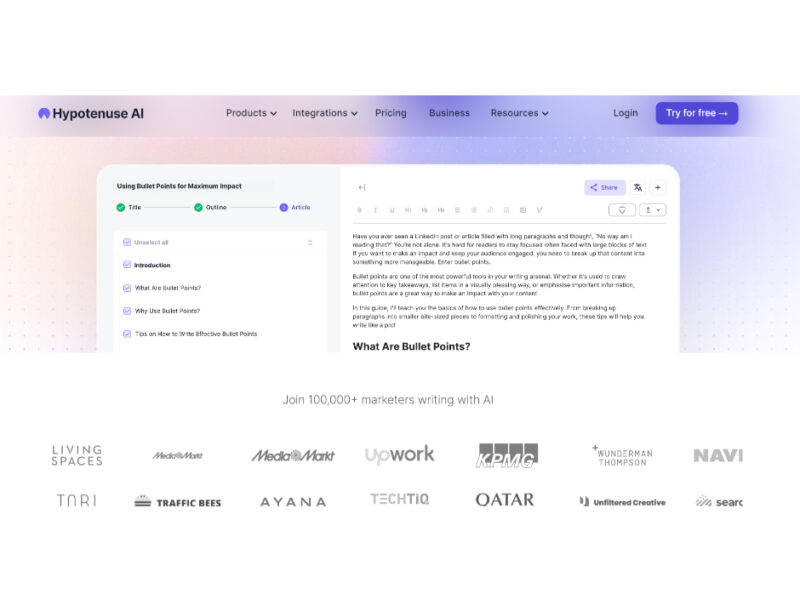
Hypotenuse ai
Hypotenuse AI is a state-of-the-art AI Writing Assistant and Text Generator designed to streamline and …

Explore Related Categories
Live Preview:
Updates automatically with live stats
Copied to clipboard!