FineShare FineVoice
FineShare FineVoice is an advanced AI digital voice solution that provides a comprehensive suite of features for voice transformation and enhancement. This tool enables users to modify their voices to …
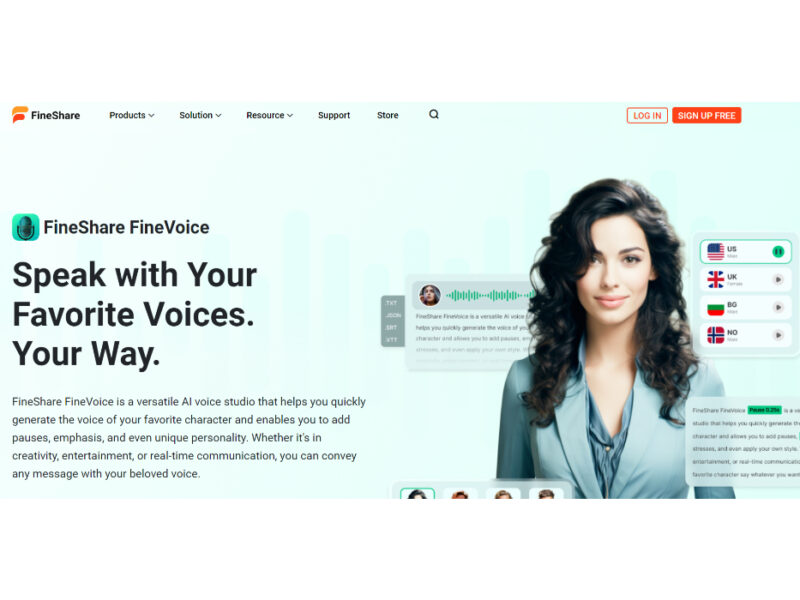
About FineShare FineVoice
Use Cases
Use Case 1: Cost-Effective Video Localization for Global Creators
Problem: Content creators and marketers often struggle to reach international audiences because hiring professional voice actors for multiple languages is prohibitively expensive and time-consuming.
Solution: FineVoice supports over 154 languages and accents, allowing users to translate and dub their content instantly. The "Text Emotion Control" and "Instant Voice Cloning" features ensure that the localized audio retains the original speaker's persona and emotional impact rather than sounding like a robotic translation.
Example: A tech YouTuber can clone their own voice in 30 seconds and use the Text-to-Speech tool to generate a Spanish and Portuguese version of their latest review, exporting the audio in a CapCut-compatible format for quick editing and multi-market distribution.
Use Case 2: Rapid Narrative Production for Indie Game Developers
Problem: Small game development teams often lack the budget for a full cast of voice actors and unique foley (sound effect) artists, leading to "silent" games or repetitive, generic audio assets.
Solution: Developers can use "AI Voice Design" to create unique character voices from text prompts and the "AI Sound Effect Generator" to create specific audio assets. The "AI Voice Changer" can also be used by a single developer to perform multiple character roles with unmatched realism.
Example: An indie developer creates a unique voice for a "grumpy wizard" character using Voice Design, applies "[angry]" emotion tags to the dialogue script, and generates a "magical ice blast" sound effect by simply typing the description into the AI Sound Effects tool.
Use Case 3: Accessible and Inclusive E-Learning Courseware
Problem: Educational institutions need to make their materials accessible to students with visual or reading impairments (requiring audio) and hearing impairments (requiring transcripts), but manual conversion is labor-intensive.
Solution: FineVoice offers a dual solution with "Text to Speech" for creating audio lectures and "Speech to Text" for generating accurate transcripts and subtitles. This ensures all learners can engage with the content in their preferred format.
Example: A professor uploads a lecture script to FineVoice to generate a professional narration for a remote course. Simultaneously, they use the Speech-to-Text tool to convert existing video lectures into SRT subtitle files, ensuring the course is fully compliant with accessibility standards.
Use Case 4: Consistent Brand Identity for Small Business Marketing
Problem: Small businesses often have multiple employees or freelancers creating social media content, leading to an inconsistent "brand voice" across different ads and videos.
Solution: By using "Custom AI Voice Design" or "Voice Cloning," a business can create a single, dedicated "Brand Voice." This digital persona can then be used by any team member to generate consistent voiceovers for every promotional asset.
Example: A local boutique clones the owner’s voice once. Every time they launch a new Instagram ad or seasonal promotion, the marketing assistant simply types the new script into FineVoice, ensuring every ad sounds like it's coming directly from the founder, maintaining brand trust and recognition.
Use Case 5: Efficient Podcast Post-Production and Repurposing
Problem: Podcasters often spend hours manually transcribing episodes for show notes or struggle to record high-quality "pick-up" lines (missing sentences) after the recording session is over.
Solution: The "Speech to Text" tool provides near-perfect transcription with automatic punctuation for show notes. If a host realizes they missed a sentence during recording, they can use their "Cloned Voice" to generate the missing line via Text-to-Speech, blending it seamlessly into the original audio.
Example: After recording a 60-minute interview, a podcaster uses FineVoice to batch-convert the audio to a TXT file for a blog post. They then notice a name was mispronounced; instead of re-recording, they use their cloned AI voice to generate the corrected sentence and drop it into the edit.
Key Features
- Extensive multi-language text-to-speech
- Instant nuance-precise voice cloning
- Prompt-based custom voice design
- Text-based royalty-free sound effects
- Batch speech-to-text transcription
- Support for custom RVC models
- Seamless video localization and dubbing
Similar Tools You Might Like
Discover more tools in the same category
Icebreaker
Icebreaker AI is an innovative solution designed to automate and enhance the process of creating …

WTF Does This Company Do?
Welcome to our landing page, where you can explore and engage with our website solely …
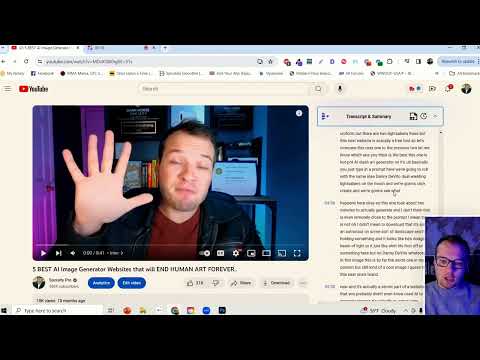
Youtube Summarizer - Syllaby
Youtube Summarizer – Syllaby is an innovative tool designed for users who frequently use YouTube …

Pocket Communication Coach
Carry expert communication advice in your pocket with this invaluable tool! Elevate your conversations with …
Explore Related Categories
Live Preview:
Updates automatically with live stats
Copied to clipboard!