Code to Flow
Visualize, Analyze, and Understand Your Code flow. Turn Code into Interactive Flowcharts with AI. Simplify Complex Logic Instantly.
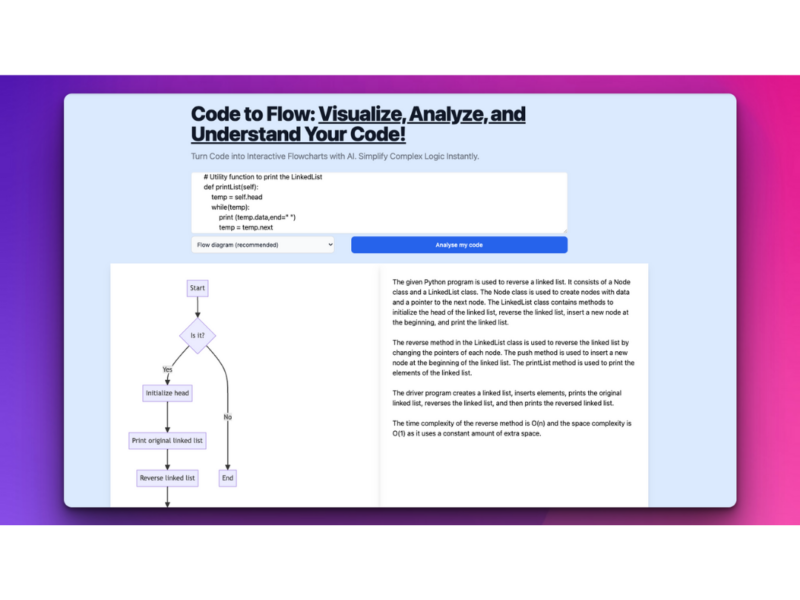
About Code to Flow
Use Cases
Use Case 1: Rapid Onboarding on Legacy Codebases
Problem: New developers joining a team often inherit thousands of lines of undocumented "spaghetti code." Spending days or weeks manually tracing function calls and variable dependencies to understand the system architecture is a significant drain on productivity.
Solution: The new hire can paste complex modules or specific functions into Code to Flow to instantly generate a Sequence or Flow diagram. This provides an immediate visual map of how data moves through the system, replacing hours of manual code reading with a clear, interactive roadmap.
Example: A junior engineer is tasked with fixing a bug in an old 1,000-line Python script. They paste the code into the tool, generate a flowchart, and instantly see that a specific if-else branch for "guest checkout" is never being reached, allowing them to pinpoint the logic error in minutes.
Use Case 2: Bridging the Communication Gap with Non-Technical Stakeholders
Problem: Project Managers and Clients often need to understand the logic behind a feature to make business decisions, but they cannot read code. Explaining complex technical constraints via text or speech often leads to misunderstandings and unrealistic expectations.
Solution: Developers can use the tool to convert their logic into a User Journey or Flowchart view. This creates a "visual common ground" that non-technical stakeholders can follow, making it easier to discuss edge cases, business rules, and project timelines.
Example: During a sprint review, a lead developer shows a generated flowchart of the platform's new subscription renewal logic. The Product Manager notices a missing step for "expired credit cards" in the visual flow, which leads to a quick adjustment before the code is even deployed.
Use Case 3: Troubleshooting Asynchronous and Nested Logic
Problem: Debugging asynchronous code (like async/await in JavaScript or Python) or deeply nested loops is mentally taxing. It is easy to lose track of the execution order, leading to race conditions or logical "dead ends" that are hard to spot in a text editor.
Solution: Code to Flow’s AI specifically identifies code paths and logic flows. By visualizing the Asynchronous flow, developers can see exactly when functions pause and resume. The tool's "debugging option" further helps identify and fix errors by highlighting where the logic breaks.
Example: A developer is struggling with a web scraper that keeps crashing. They paste their asyncio code (similar to the site's example) into the tool. The generated sequence diagram reveals that one await call is inside a loop it shouldn't be in, causing the bottleneck.
Use Case 4: Automating Technical Documentation for Audits
Problem: Maintaining up-to-date technical documentation is a chore that developers often skip. However, security audits (like SOC2) or architectural reviews require accurate diagrams of how data is processed, and manually drawing these in design tools is time-consuming.
Solution: Using the Export to SVG/PNG/PDF feature, developers can instantly turn production code into professional Class or Sequence diagrams. This ensures the documentation perfectly matches the actual code logic without requiring manual drawing.
Example: A fintech startup needs to document their data encryption process for a compliance audit. The lead dev pastes the encryption utility classes into Code to Flow, selects "Class Diagram," exports it as a high-resolution PDF, and attaches it to the official compliance report.
Use Case 5: Enhancing Computer Science Education & Self-Learning
Problem: Students and self-learners often struggle to grasp abstract programming concepts like recursion, nested conditionals, or object-oriented structures by just looking at text on a screen.
Solution: Learners can use the tool to "Explain tech concepts" and visualize code snippets from tutorials or textbooks. Seeing the code transform into a step-by-step flowchart helps reinforce mental models of how logic works.
Example: A student learning JavaScript "Promises" pastes a complex then/catch chain into the tool. The resulting flowchart shows the different paths for "Success" vs. "Failure," making the abstract concept of error handling concrete and easy to understand.
Key Features
- AI-powered multi-diagram generation
- Universal programming language support
- Interactive code logic visualization
- AI-driven debugging and optimization
- Multi-format diagram export options
- Customizable visual themes and branding
- Automated technical concept explanations
Similar Tools You Might Like
Discover more tools in the same category

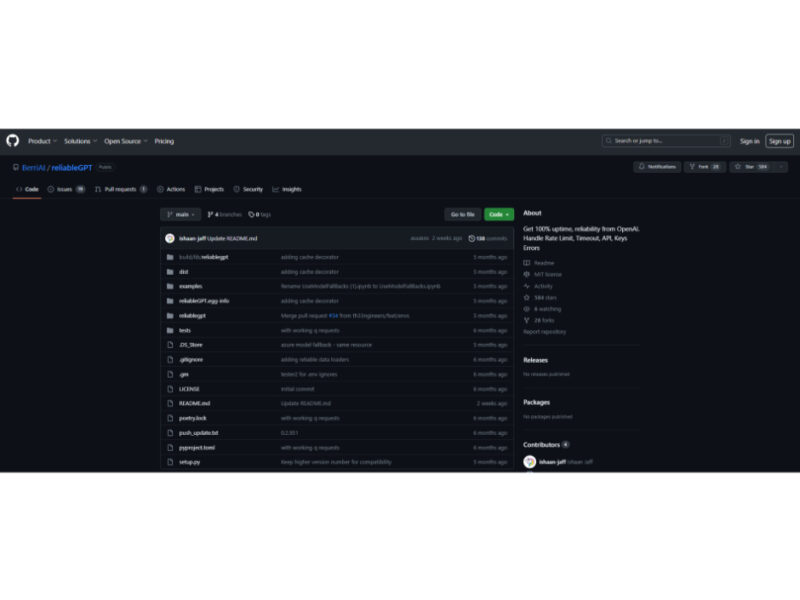
ReliableGPT
ReliableGPT is a robust and innovative tool designed to enhance the stability and reliability of …

Opera One Browser
Opera One is a next-generation browser that emphasizes a liquid navigation experience. It stands out …


MindStudio
MindStudio by YouAi is an innovative platform that enables users to create personalized AI applications …
Live Preview:
Updates automatically with live stats
Copied to clipboard!